One long video in.A week of clips out.
Cliporium finds the moments worth posting in your podcasts, streams and videos, frames them vertical, captions every word, and posts them for you.
Clipping
Every clip worth posting, without scrubbing a timeline
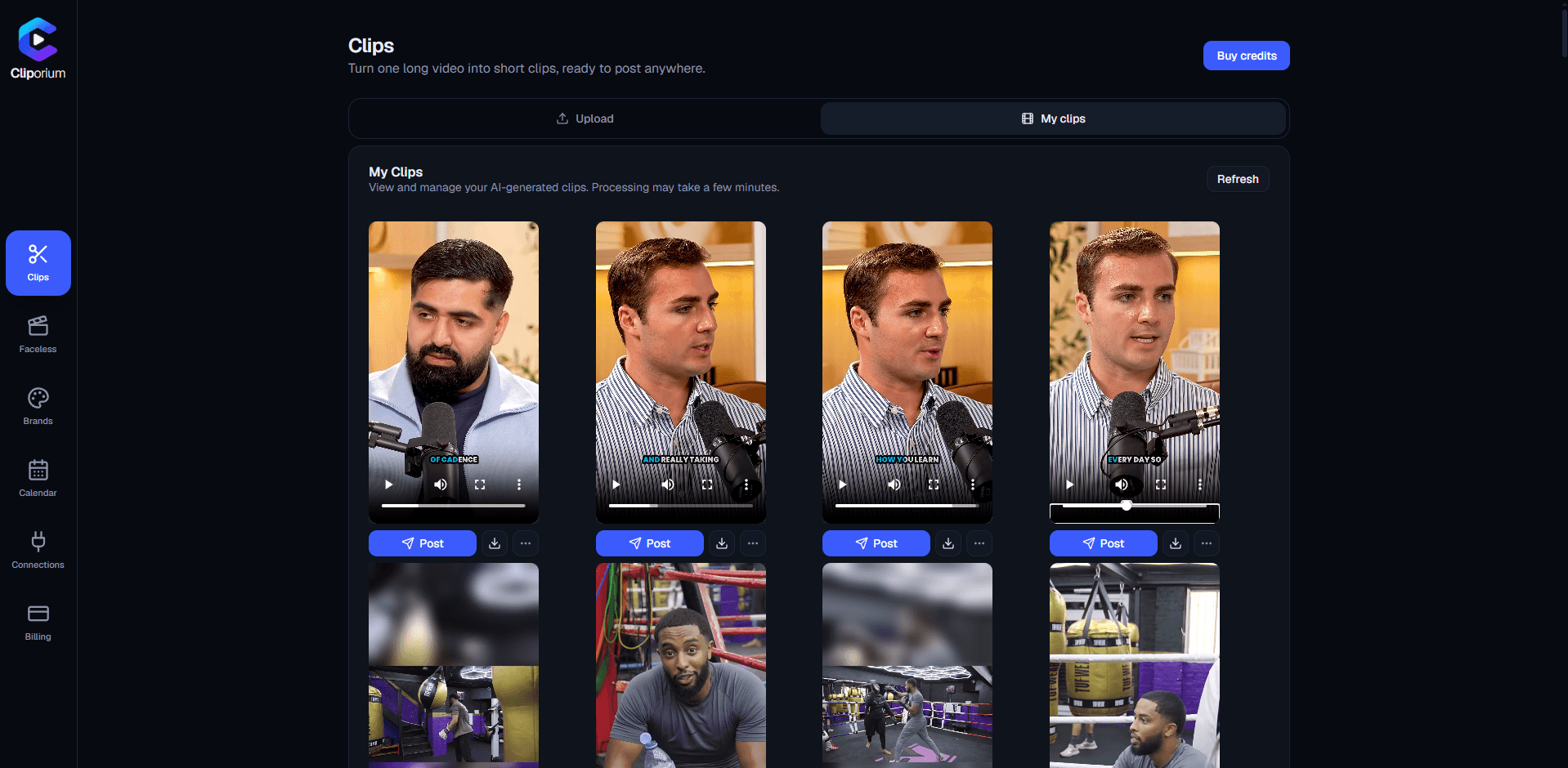
Give it a two-hour recording. It comes back with the moments that land, already cut, framed and captioned.
- Picks the momentsIt listens to the whole thing - the reactions, the laughs, the line that lands - and keeps those.
- Frames them verticalFollows whoever is talking, or fits the gameplay or the screen, so nothing important is cropped off.
- Captions every wordTimed to each spoken word and burned in, in a style you choose.
- Scores each oneA virality score out of 100 on every clip, so you know which to post first.
- 88
NOBODY SAW THAT COMING
0:12:40
- 94
THIS CHANGED EVERYTHING
0:41:07
- 71
WAIT FOR IT
1:13:52
- 63
THE REAL REASON
1:46:18
Beyond clipping
No long video? It can still make the post.
Faceless reels and branded motion videos, written from your brand and rendered for you - then posted on your schedule.
Faceless reels
Give it a topic and a brand. It writes the script, voices it, puts it over gameplay and captions it word by word. Writing is free; you only pay when it renders.
Schedule and post
Plan the week on a calendar. Instagram, YouTube and Discord post on their own; TikTok posts land in your TikTok inbox to finish.
Motion graphics
Short animated videos in your brand's colours and logo, with sound effects or a voiceover.
Brand profiles
Your name, colours, logo, pictures and offer, kept once and used in everything it writes for you.
Automations
UltimateSet it once: new reels are written, rendered and posted on the days you pick.
How it works
Three steps, then you are posting
Built for YouTubers, podcasters and streamers who would rather be making the next thing than cutting up the last one.
- 1
Upload
Drop in an MP4 up to 2 GB. It goes straight to storage from your browser.
- 2
Choose
Pick the kind of video and how many clips you want - up to 10. You only pay for the ones it finds.
- 3
Post
Post now or schedule them across the week. Or download the files and post them yourself.
Pricing
Only pay for clips you get
One credit balance for clips and faceless reels. Every account starts with 10 free credits - no card needed.
Free
No card needed.
- 10 free credits to start
- Clips and faceless reels, the same engine
- Post them straight to Discord
- Download anything and post it yourself
Posting straight to TikTok, Instagram and YouTube is on a plan: those platforms cap how much every app may post each day, and that allowance is kept for paying customers.
Starter
For the occasional upload.
£0.20 per credit
or any mix of the two
- Only pay for clips you get
- Clips and faceless reels
- Credits refresh every month
- Post and schedule to TikTok, Instagram, YouTube and Discord
- Posts the clips and reels Cliporium makes for you
- 1 brand profile, 1 account per platform
Pro
For a regular posting schedule.
£0.17 per credit
or any mix of the two
- Only pay for clips you get
- Clips and faceless reels
- Credits refresh every month
- Everything in Starter
- Schedule your own videos too, not just the ones made here
- 3 brand profiles, 2 accounts per platform
Ultimate
For studios, agencies and big back catalogues.
£0.14 per credit
or any mix of the two
- Only pay for clips you get
- Clips and faceless reels
- Credits refresh every month
- Everything in Pro
- Automations: reels written, rendered and posted on a schedule
- 25 brand profiles, 5 accounts per platform
Only pay for clips you get
Ask for up to 10 clips. If a video only has four good moments, you get four clips - and pay for four.
Posting is included
Every plan schedules and posts to Instagram, YouTube and Discord on its own, with TikTok arriving as a draft to finish. No separate scheduler to pay for.
Cancel any time
Monthly plans, no contracts. Credits refresh at the start of every billing month.
How credits work
Per clip
2 credits
Cut from your long video, framed and captioned. Only clips we actually make are charged.
Per faceless reel
5 credits
Written, voiced, captioned and rendered for you. Charged once it has finished.
- A clip costs 2 credits, charged only for clips we actually make. You choose how many to ask for, up to 10 per video.
- A faceless reel costs 5 credits, charged once it has finished rendering. Writing and editing its script is free.
- A motion-graphics video costs 3 credits, or 5 with a voiceover, charged once it has finished rendering. Writing and editing its text is free.
- Scheduling and posting cost no credits. Your plan decides which platforms you can post to, and how many accounts of each.
- Your plan's credits refresh at the start of each billing month. Unused credits don't roll over.
- New accounts start with 10 free credits - no card needed.
- Plans are monthly subscriptions. Cancelling ends your plan straight away.
- Purchases are not refundable.
No. Every new account starts with 10 free credits, which is five clips. Add a card only when you want more.
Your next ten clips are already in a video you have made
Sign up, upload one file, and see what comes back.
Start with 10 free credits